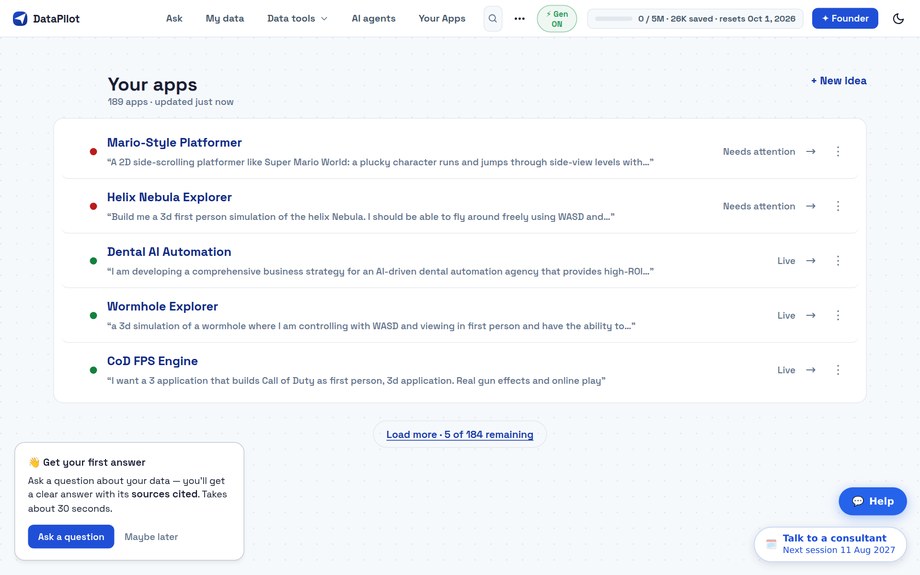
Ask your AI about your files.
Upload once, always up to date. Get cited answers from your AI.
- Trail Pack: 412 sold
- Day Bag: 298 sold
- Rain Shell: 187 sold
Free · no card · works with Claude, ChatGPT, Gemini, Cursor, VS Code
Add the DataPilot plug-in to your AI.
Add your files. They stay up to date.
Get answers with sources.
Questions
What is DataPilot?
A place for your files that your AI can read. Upload PDFs, docs and spreadsheets, connect DataPilot to your AI, and ask. Each answer names the file it came from.
Which AI tools work with it?
Claude (free plan too), ChatGPT on Business and Enterprise, Gemini, Claude Code, Cursor, and GitHub Copilot in VS Code. You add DataPilot once in your AI’s settings.
Is my data private?
Your files are yours. We keep them on our servers, and back them up to Google Cloud on paid plans. We don’t sell them or train AI on them. To answer a question, we send the AI only the parts it needs. See our Privacy Policy.
What does the free plan include?
350K AI tokens a month and 250 MB of storage, about 250 PDFs. Your AI can read your files as often as it likes. No card needed.
How are tokens used?
DataPilot spends tokens when it searches your files and writes an answer. One question takes about 35K tokens, so 350K buys about 10 questions a month. Reading a file costs nothing. Usage in the app shows what you have left. Tokens reset each month.
What does “always up to date” mean?
On paid plans, DataPilot refreshes the live sources you connect, such as databases and websites, so your AI reads the latest version.
Can I cancel anytime?
Yes. Cancel in Manage subscription. You keep your plan until the period you paid for ends, then you move to Free.
Connect DataPilot to your AI
Add the DataPilot plug-in once. Pick the AI you use: